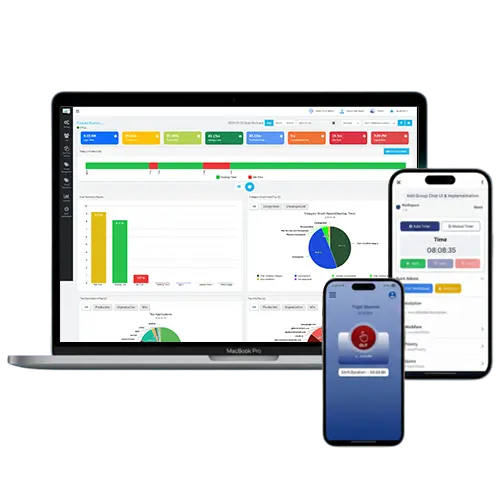
Remote work has grown rapidly over the past few years. Flexible schedules, reduced infrastructure costs, and the comfort of working from home have made it a preferred choice for many organizations. But alongside these benefits comes a major challenge—keeping teams connected and ensuring productivity across different locations and time zones.So how do businesses manage this effectively? The answer lies in using the right work-from-home monitoring software. In this guide, we’ll walk you through five of the best tools you can consider.
Top 5 Work-from-Home Monitoring Software
Choosing the right software isn’t just about picking any popular tool—it’s about finding one that aligns with your specific business needs. Here are five reliable options:
1. DeskTrack
DeskTrack stands out as a complete solution for managing remote, in-office, and on-site teams. It offers detailed reports, automated timesheets, easy integrations, and a centralized dashboard for better communication. If your goal is to improve efficiency and streamline team collaboration, this tool is a strong choice.
2. Time Doctor
Time Doctor is ideal if you’re looking for powerful integrations along with employee monitoring. It gives you a clear overview of how your team spends time, including app and website usage, helping you understand productivity patterns better.
3. Hubstaff
Hubstaff combines time tracking with employee monitoring, making it a balanced solution. It allows you to track work activities in real time and provides accurate timesheets, helping you stay on top of your team’s performance.
4. Teramind
If security is your top concern, Teramind is worth considering. It focuses on protecting sensitive data while also monitoring employee activity. It’s a solid option for organizations that need both productivity tracking and strong security measures.
5. EmailAnalytics
EmailAnalytics is a great fit for teams that rely heavily on email communication. It provides insights into email activity, response times, and performance metrics, helping you improve communication efficiency within your team.
How to Choose the Right Software
Scalability
Always choose software that can grow with your business. It should be flexible enough to adapt to your company size, industry, and future needs.
Features
Make sure the tool includes the features you actually need—like time tracking, reporting, or integrations. Most platforms offer free trials, so you can test them before committing.
Budget
Pricing usually starts around $4 per user per month, but it varies depending on features and plans. Choose a tool that fits your budget without compromising essential functionality.
Ease of Use
Even the most feature-rich software won’t help if it’s difficult to use. A simple and user-friendly interface ensures your team can adopt it quickly without confusion.
Conclusion
Work-from-home monitoring software helps businesses stay connected with remote teams while improving productivity, communication, and overall efficiency. The right tool can make a significant difference in how smoothly your operations run. While all the options listed above are reliable, DeskTrack can be a great choice if you’re looking for an all-in-one solution to manage teams across different work environments.
Comments
Post a Comment